
Crestron · Soluciones de control
HD-PS621
A high-performance rack-mountable 4K60 4:4:4 presentation system with matrix switching and out-of-the-box functionality. Provides six HDMI® and two DM® Essentials inputs, one mirrored HDMI and DM Essentials output with 4K60 scaler, and analog audio inputs and outputs. Includes support of HDR (High Dynamic Range) and Dolby Vision® video formats, audio mixing, advanced EDID management, XiO Cloud® connectivity, and enterprise-grade security.
Precio y disponibilidad para clientes
Con una cuenta ves tu precio en USD, el stock por depósito y podés armar tu pedido.
Dimensiones físicas
Ancho
44.1 cm
Alto
4.4 cm
Profundidad
27.5 cm
Peso
3.63 kg
Identificación del fabricante
Modelo
HD-PS621
SKU fabricante
HD-PS621
Especificaciones técnicas98
Documentación22
Sell Sheet: Crestron DigitalMedia™ HD Presentation Switchers (HD-PS)
Marketing Resources
CAD Drawing: HD-PS621
Specifier Resources
Large Hybrid Classroom with Virtual Control
Technical Resources
Medium Classroom with Virtual Control
Technical Resources
Small Conference Room with Virtual Control
Technical Resources
Huddle Room with Virtual Control
Technical Resources
Product Information: HD-PS622 and HD-PS621
Guides & Manuals
End-of-Sale Notice: HD-PS621
Guides & Manuals
Safety Instructions
Guides & Manuals
Product Manual: HD-PS
Guides & Manuals
User Guide: XiO Cloud® Service
Guides & Manuals
Spec Sheet: HD-PS621
Spec Sheets
Firmware : HD-PS401_HD-PS402_HD-PS621_HD-PS622 1.4.4790.00075
Software & Firmware
CB Safety Cert HD-PS622 BV
Product Certificates
NRTL Safety Cert HD-PS622 BV
Product Certificates
China CCC Cert HD-PS622 BV
Product Certificates
DoC HD-PS622
Product Certificates
DoC French HD-PS622
Product Certificates
KCC EMC Cert HD-PS622 BV
Product Certificates
Taiwan Safety SDoC Cert HD-PS622
Product Certificates
Product Manual: HD-PS (HTML)
Guides & Manuals
User Guide: XiO Cloud® Service (HTML)
Guides & Manuals
Descripción técnica
The HD‑PS621 provides a 4K60 4:4:4 AV presentation system with enhanced HDMI® video switching and audio presentation capabilities for areas such as conference rooms and classrooms. The HD‑PS621 includes six HDMI® inputs, two DM® Essentials inputs, and one HDMI output with mirrored DM Essentials output.
4K60 4:4:4 and HDR Support
The HDMI ports support video resolutions up to 4K60 with 4:4:4 color sampling. HDR10, HDR10+, and Dolby Vision® video formats are also supported.1
The DM Essentials ports support a maximum resolution of 4K60 4:4:4 up to 130 ft (40 m) and 1080p60 4:4:4 up to 230 ft (70 m).2
Out-of-the-Box Functionality
Features such as automatic switching of inputs, automatic display control, and direct integration with occupancy sensors enable simple setup for many applications without the need for control system programming.
Enterprise-Grade Security
The HD‑PS621 includes advanced security features and protocols. Using 802.1X authentication, Active Directory® credential management, PKI authentication, TLS, SSH, and HTTPS, the HD‑PS621 provides a true enterprise-grade AV switcher.
Automatic Switching of Inputs
Automatic switching among the DM Essentials and HDMI inputs can occur based on the last connected input or on the routing priority assigned to each input. Switching behavior is configurable using the web interface and is also programmable using a Crestron control system. In addition, input selection push buttons on the front panel of the HD‑PS621 enable the desired inputs to be selected manually.
HDBaseT® Certification of DM Essentials Output
The DM Essentials output is designed using HDBaseT Alliance specifications, ensuring interoperability with other HDBaseT certified devices. The DM Essentials output can be connected directly to an HDBaseT device.
4K60 4:4:4 Video Scaler
The mirrored HDMI and DM Essentials output shares a single 4K60 4:4:4 video scaler. By default, input resolutions are automatically scaled to match the native resolution of the display device, resulting in optimal image quality. The video scaler can be enabled or disabled using the web interface or a control system.
Text Overlay, Image Overlay, and Background Image
When the video scaler is enabled, text overlay, image overlay, and a background image can be displayed on-screen if desired. Text overlay can be used to display dynamic or fixed text for purposes such as labeling the video source or displaying special instructions, schedules, announcements, alerts, or other messaging. An image such as a logo or photo can be uploaded and then used for image overlay on top of active video content. An image can also be uploaded and then used as a background image whenever active video content is not being displayed.
EDID Management
The HD‑PS621 provides comprehensive management of EDID (Extended Display Identification Data) to ensure that every source is displayed at the optimal resolution and format. For applications requiring a custom configuration, the HD‑PS621 enables assessment of the format and resolution capabilities of any device that is connected to the HDMI output of the HD‑PS621. The HD‑PS621 provides the ability to configure signals appropriately for the most desirable and predictable behavior.
Audio Mixing with Audio Embedding and De-embedding
The HD‑PS621 provides three independent audio mixers for three outputs. For the mirrored HDMI and DM Essentials output, the HD‑PS621 provides a 9-channel audio mixer. Embedded HDMI LPCM stereo audio can be extracted from the selected HDMI or DM Essentials input and combined with the eight mono analog audio inputs (MIC/LINE CH1-CH2 and LINE INPUT CH3-CH8). Gain and mute sound adjustments can be made to each of the nine inputs being mixed.
For each of the two AUX outputs, the HD‑PS621 provides a 9‑channel audio mixer. Embedded HDMI LPCM stereo audio can be extracted from the selected HDMI or DM Essentials input for the mirrored HDMI and DM Essentials output and combined with the eight mono analog audio inputs (MIC/LINE CH1-CH2 and LINE INPUT CH3-CH8). Gain and mute sound adjustments can be made to each of the nine inputs being mixed.
Volume and mute control are configurable for each mirrored HDMI and DM Essentials output and AUX audio output independently.
USB Power Port
A USB power port is included on the HD‑PS621 to power USB powered devices (500mA maximum).
NOTE: No USB data is passed through the USB power port. The port cannot be used to extend USB data, video, or audio signals.
Device Control via CEC, IR, or RS-232
CEC (Consumer Electronics Control) over the HDMI output can enable a display device to be turned on or off automatically without the use of a control system. Under the management of a control system, CEC over the HDMI inputs can control source devices.
When connected to a compatible DM Essentials receiver (HD-RX-101-C-E, HD-RX-101-C-1G-E, HD-RXC-101-C-E, or HD-RXC-101-C-1G-E), the DM Essentials output port can control a display device without the use of a control system. The DM Essentials output port can output CEC display control when connected to an HD-RX-101-C-E or HD-RX-101-C-1G-E receiver. When connected to an HD-RXC-101-C-E or HD-RXC-101-C-1G-E receiver, the DM Essentials output port can output CEC, IR, or RS‑232 display control. Under the management of a control system, the DM Essentials output port can output CEC and RS‑232 control to an HDBaseT device.
The HD‑PS621 also includes support for Crestron Certified Drivers. CEC and IP drivers can be used for the HDMI and DM Essentials output ports to provide automatic display control without the use of a control system.
Built-In Web Interface
Configuration of the HD‑PS621 can be accomplished by using the built-in web interface. The configuration of a single device can be downloaded to a computer or mobile device and then uploaded to multiple HD‑PS621 units to simplify system installation.
1 RU Rack-Mountable Design
The HD‑PS621 can be mounted into a 19-inch EIA equipment rack using the included rack mount brackets. The device occupies 1 RU of rack space.
Key Features
• 4K60 4:4:4 digital AV presentation system
• HDR10, HDR10+, and Dolby Vision® video formats
• Six HDMI® and two DM® Essentials inputs with automatic switching
• One mirrored HDMI and DM Essentials output
• HDBaseT® certification of DM Essentials output
• 4K60 4:4:4 video scaler for mirrored output
• Out-of-the-box functionality
• Enterprise-grade security
• Text overlay, image overlay, and background image for on-screen display
• EDID management
• HDCP 2.3 compliance
• Audio mixing with audio embedding and de-embedding
• 100BASE-TX/1000BASE-T Ethernet connectivity
• USB power port
• Device control via CEC, IR, or RS-232 when used with compatible DM Essentials receiver
• Built-in web interface
• Compatibility with Crestron® 3-Series® or later control systems
• .AV Framework™ technology support
• XiO Cloud® service support
• API (application programming interface)
• 1 RU rack-mountable design
1. 4K60 4:4:4 performance and HDR support require the use of HDMI cables and couplers with a minimum TMDS bandwidth of 18 Gbps. If 4K60 4:2:0 or 4K30 4:4:4 performance is acceptable, cables and couplers with a minimum bandwidth of 10.2 Gbps may be used. Bandwidth loss is cumulative; therefore, performance may be reduced when inserting multiple cables and couplers inline.
2. For DM Essentials connections, use Crestron DM-CBL-8G, Crestron DM-CBL-ULTRA, or third-party CAT5e or higher cable. To safeguard against unpredictable environmental electrical noise that may impact performance at resolutions above 1080p, shielded cable and connectors are recommended for all applications and are required when bundling multiple cables in a wire run. Wire and cables are sold separately.
3. An HDMI input requires an appropriate adapter or interface cable to accommodate a DVI or Dual-Mode DisplayPort signal. CBL-HDI-DVI interface cables are sold separately.
4. An HDMI output requires an appropriate adapter or interface cable to accommodate a DVI signal. CBL-HDI-DVI interface cables are available separately.
5. Examples of supported DM Essentials 4K60 4:4:4 transmitters are the HD-TX(A)(C)(CA)-4KZ-101 and HD-TX-4KZ-111 Series surface-mountable transmitters, Supported DM Essentials 4K60 4:2:0 transmitters are the HD-TX-101-C-E, HD-TXC-101-C-E, HD-TX-301-C-E, HD-TX-101-C-1G-E, HD-TXC-101-C-1G-E, and HD-TX-201-C-2G-E.
6. Supported DM Essentials receivers are the HD-RX(A)(C)(CA)-4KZ-101 Series surface-mountable receivers and the HD-RX(C)-4KZ-101-1G wallplate receivers. Connection to DMPS Essentials switchers (HD-RX-4K-210-C-E[-POE], HD-RX-4K-410-C-E[-SW4], and HD-RX-4K-510-C-E[-SW4]) is not supported.
7. The HD-PS621 does not provide power to DMPS Essentials switchers or HDBaseT devices.
Accesorios compatibles (13)
Complementos que el fabricante lista para este producto.
 CrestronSW-XIOC-PREMIUM-1YR-100-499CrestronSW-XIOC-PREMIUM-1YR-1-99CrestronSW-XIOC-PREMIUM-1YR-500+CrestronSW-XIOC-PREMIUM-TRUE-UP
 CrestronCBL-HD-30CrestronCBL-HD-DVI-1.5
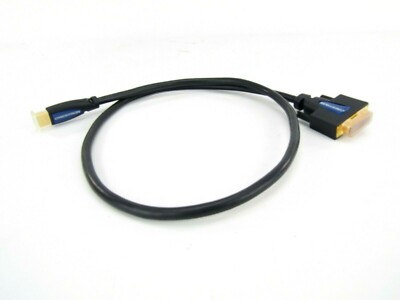 CrestronCBL-HD-DVI-3
 CrestronDM-8G-CONN-WG-100
 CrestronDM-CBL-ULTRA-NP-SP1000
 CrestronDM-CBL-ULTRA-PC-50
 CrestronDM-CBL-ULTRA-P-SP1000
 CrestronDM-CONN-ULTRA-PLUG-20
 CrestronDM-CONN-ULTRA-RECP-20
Compatible con (4)
Productos de nuestro catálogo mencionados en la ficha.


Otros modelos de esta línea (3)
Variantes del mismo producto.


