
Crestron · Medios digitales
AM-3200-GV
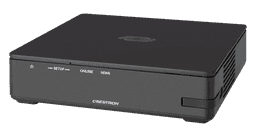
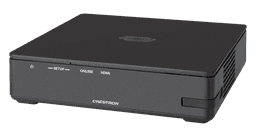
The AirMedia® Receiver 3200, Government Version (AM-3200-GV) enables secure wireless collaboration in the modern digital workspace. Easy to deploy and manage, install the Receiver in conference rooms, huddle rooms, lounges, lobbies, or almost any space to establish a productive meeting environment. The AM-3200-GV is a fully featured TAA-compliant AM-3200 that is suitable for government deployments.
Precio para clientes
Creá tu cuenta y accedé a precios, stock y cotizaciones.
Solicitar cuenta de cliente¿Ya tenés cuenta? Ingresá
Descripción técnica
The AirMedia® Receiver 3200, Government Version (AM-3200-GV) enables secure wireless collaboration in the modern digital workspace. Easy to deploy and manage, install the Receiver in conference rooms, huddle rooms, lounges, lobbies, or almost any space to establish a productive meeting environment. The AM-3200-GV is a fully featured TAA-compliant AM-3200 that is suitable for government deployments.
Connect and Present
The AirMedia Series 3 Receiver can be installed beneath, beside, or behind a wall-mount display and enables a smart room with wireless collaboration. The receiver features AirMedia wireless presentation capability, an HDMI® output that connects to a display (up to 4K), an HDMI input, and various USB interfaces for wireless conferencing. Connect your laptop, smart phone, tablet, or other source type to instantly present the source image on the display. The AirMedia receiver is a fully featured TAA-compliant solution that is suitable for government deployments.
AirMedia Wireless Presentation
With AirMedia technology, users can wirelessly present content from laptops, smartphones, and tablet devices via an external Wi‑Fi® wireless network. Present content from desktop or laptop computers using downloadable client software, the AirMedia extension for the Google Chrome™ web browser (Windows® 10 and Windows 11 computers only). Present content from Android™ and iOS® mobile devices with the AirMedia app.
For more information about AirMedia, visit www.crestron.com/airmedia.1
HDMI Connectivity
In addition to AirMedia, the AM-3200-GV includes an HDMI input for direct connection of a local source, such as a Mini PC, or a portable laptop computer via an optional wall plate or cable. The HDMI input supports HD 1080p/60 signals.2
Multi-Source Presentation
Supports simultaneous display of up to four sources with AirMedia Canvas when presenting using the AirMedia Applications, Apple Screen Mirroring or Chrome Extension. To maximize screen coverage, AirMedia Canvas automatically configures the best possible layout based on the number of active presenters, the type of sources, and their aspect ratios.3 Use the AirMedia app or a connected touch screen (sold separately) to manage sources and their position on the display.
Wireless Conferencing
Wireless conferencing provides a premium collaboration experience by enabling video calling from almost any device.4 The AirMedia application provides wireless access to a host of connected conferencing peripherals, such as soundbars, cameras, or speakerphones. When using the AirMedia application, peripherals are immediately available on the user’s laptop for use in Microsoft Teams® or Zoom™ software.
Enhanced Onscreen Experience
When no source is connected, the AM-3200-GV displays a customizable welcome screen on the room display with simple instructions for connecting and presenting. Integration with Microsoft Exchange Server® (for Outlook® and Microsoft 365® software users), Google Calendar™, or Crestron Fusion® room scheduling software allows the space’s availability and meeting details to appear onscreen. As the meeting progresses, notifications appear periodically to indicate both the time left in the meeting and the next scheduled event. Pop-up messages sent from Crestron Fusion may also appear in the event of an emergency or to deliver an important announcement.
Add-on Control Options
Add a Power over Ethernet occupancy sensor (CEN‑ODT‑C‑POE) to control display or digital signage on/off based on room occupancy or vacancy.
XiO Cloud® Provisioning and Management Service
The AM-3200-GV is compatible with the XiO Cloud service, which enables installers and IT managers to easily deploy and manage thousands of devices. The XiO Cloud service allows for system alerts and network management and provisioning.
For more information, visit www.crestron.com/xiocloud.
Digital Signage Functionality
Integrate the Appspace digital signage application or other web-based signage providers with the AM-3200-GV. The AM-3200-GV can display digital signage content when no presentation is being made or when the room is not occupied.
Crestron Fusion Room Monitoring
Presentation spaces can be managed and centrally monitored through the Crestron Fusion enterprise management service. By adding an optional occupancy sensor (CEN‑ODT‑C‑POE), the AM-3200-GV can report and log when people are in the space, turn the display on and off accordingly, and make unused spaces available for new bookings. Crestron Fusion software supports room scheduling, and can integrate with a variety of third-party calendaring applications. Instant alerts notify the help desk to rapidly resolve any problems and maximize uptime and workflow.
For more information about Crestron Fusion, visit www.crestron.com/fusion.
Enterprise-Grade Security
The AirMedia Presentation System is an enterprise-grade solution that can be deployed across hundreds of spaces and set up easily using just a web browser, Crestron Fusion, or XiO Cloud software. Employing standard network security protocols such as 802.1x network access control, Active Directory® authentication, and AES content encryption, the AM-3000-WF protects privacy and ensures compliance with your organization’s IT policies.
Key Features
• Fully featured TAA-compliant AM-3200 suitable for government deployments
• Complete room solution enables secure presentation from laptops, smartphones, and tablet devices using either a wired HDMI® connection or a wireless AirMedia® connection
• Integration friendly features such as HDMI® input, dual LAN, balanced audio output, and display control via RS-232 and IR
• Enables smart automation via intelligent display control, occupancy detection, and integration into a broader connected ecosystem
• Enterprise-grade security and content encryption protects privacy and ensures compliance with IT policies
• XiO Cloud® service support for remote provisioning and management
• Built-in digital signage functionality with support for Appspace® software and other web-based signage providers
• Supports simultaneous display of up to four sources with AirMedia Canvas when presenting using the AirMedia Applications, Apple Screen Mirroring or Chrome Extension.
• Wireless conferencing and presentation allows for collaboration with in-room and remote participants
• TAA compliant
1. AirMedia wireless presentation requires a wired network connection between the AM-3200-GV and an external Wi-Fi wireless access point (not included). Laptops may alternately connect to AirMedia using a wired Ethernet connection. Full-motion video performance is dependent upon the performance of the network and the sending device. Computer client software and mobile device apps are available for download here.
2. TLS 1.3 is currently not supported.
3. Using an appropriate adapter or interface cable, the HDMI output can provide a DVI signal. CBL-HD-DVI interface cables are available separately.
4. With or without reduced blanking.
Dimensiones físicas
Ancho
18.8 cm
Alto
3.3 cm
Profundidad
16.6 cm
Peso
0.86 kg
Identificación del fabricante
Modelo
6513188
SKU fabricante
6513188
Especificaciones técnicas58
Communications
AirMedia Software1
Documentación18
Look Book: AirMedia Wireless Collaboration System
Marketing Resources
Product Manual: AirMedia® Series 3 Wireless Presentation and Wireless Video Conferencing
Guides & Manuals
Security Reference Guide: AirMedia® Presentation Gateway
Guides & Manuals
User Guide: XiO Cloud® Service
Guides & Manuals
Spec Sheet: AM-3200-GV
Spec Sheets
Software : AirMedia macOS Guest Application 5.0.15
Software & Firmware
Software : AirMedia macOS Deployable Application 5.0.15
Software & Firmware
Software : AirMedia Android App 2.5.66
Software & Firmware
Software : .AV Framework for AM-3000-WF_AM-3000-WF-I_AM-3100-WF_AM-3100-WF-I_AM-3200-WF_AM-3200-WF-I_AM-3200 3.0900.0019
Software & Firmware
Software : AirMedia Windows Guest Application 5.11.1.164
Software & Firmware
Software : AirMedia Windows Deployable Application 5.11.1.164
Software & Firmware
Software : AirMedia Windows Unified Installer 5.11.1.164
Software & Firmware
Software : AirMedia Peripheral Installer 1.11.1.164
Software & Firmware
Software : Crestron AirMedia (iOS) 2.3.0
Software & Firmware
Firmware : AM-3000-WF_AM-3000-WF-I_AM-3100-WF_AM-3100-WF-I_AM-3200_AM-3200-WF_AM-3200-WF-I 3.0900.0143
Software & Firmware
Product Manual: AirMedia® Series 3 Wireless Presentation and Wireless Video Conferencing (HTML)
Guides & Manuals
Security Reference Guide: AirMedia® Presentation Gateway (HTML)
Guides & Manuals
User Guide: XiO Cloud® Service (HTML)
Guides & Manuals
Accesorios compatibles (14)
Complementos que el fabricante lista para este producto.
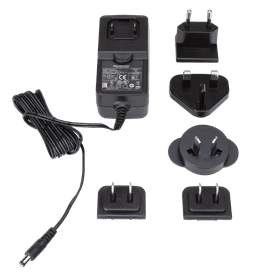 CrestronPW-2412WU
 CrestronSW-XIOC-PREMIUM-1YR-100-499CrestronSW-XIOC-PREMIUM-1YR-1-99CrestronSW-XIOC-PREMIUM-1YR-500+CrestronSW-XIOC-PREMIUM-TRUE-UP
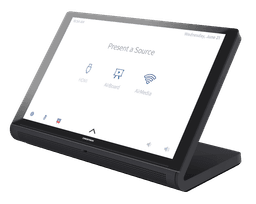 CrestronTS-1070-B-S
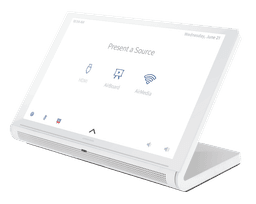 CrestronTS-1070-W-S
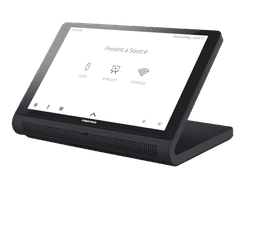 CrestronTS-770-B-S
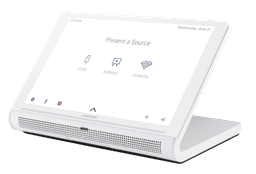 CrestronTS-770-W-S
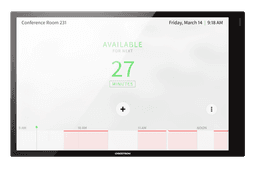 CrestronTSW-1070-B-S
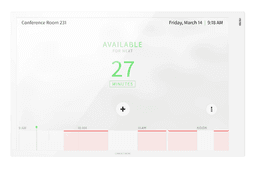 CrestronTSW-1070-W-S
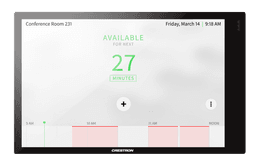 CrestronTSW-770-B-S
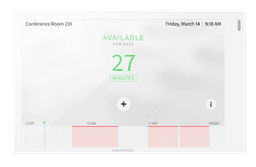 CrestronTSW-770-W-S
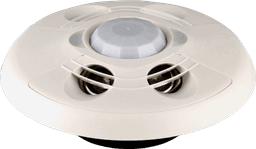 CrestronCEN-ODT-C-POE
Otros modelos de esta línea (8)
Variantes del mismo producto.
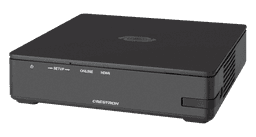
Productos relacionados (7)
Sugeridos por el fabricante.